Tally for iPhone
Movies, shows, games and books, counted in one app.
Tally is a tracker for iPhone that ticks things off by itself from your home server or apps that use Trakt, or lets you tick by hand for free. With Tally+, it tells you the moment what you're waiting for is out. Your history stays yours, with no account, no ads and no tracking.

Free to download, and free to tick by hand for as long as you like. Tally+ from €14.99 a year, with two weeks free.
- All four in one app
Movies, TV shows, video games and books, each with the lists that fit it, instead of one app for each.
- It ticks itself
Every play on your TVs, from Jellyfin or Plex with the free Tally Server, or, with Tally+, from Infuse and other apps that use Trakt.
- Never miss a release
Tally+ tells you when a new episode, movie, game or book you're waiting for is out, and nothing else.
- A history you own
On your iPhone and in your iCloud, or on your own server. No account with us, no ads, no tracking.
What it tracks
Four kinds of story, each kept the way it works.
Movies
Know what's out to watch at home, and what's coming.
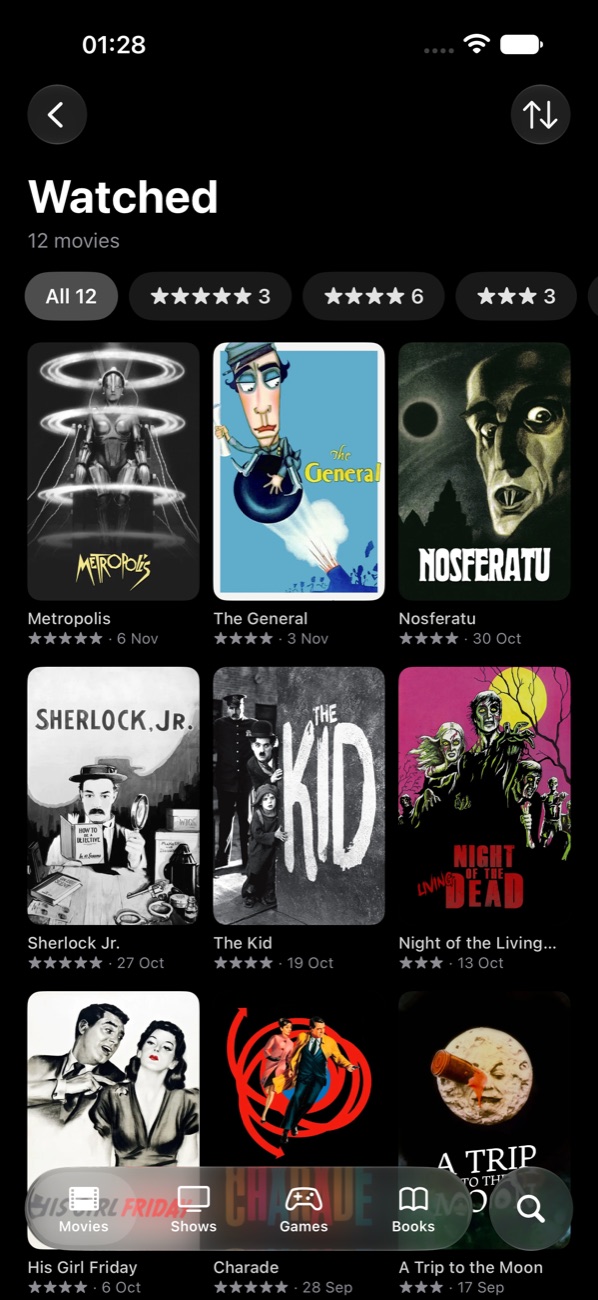
Your watchlist splits into out now, coming soon and no date yet, with a calendar of release days. Tick a movie and it goes into your history with the day you watched it.
- Out now
- Coming soon
- No date
- Watched
How it ticks
It ticks itself from your TVs, or you tick by hand for free.
1 of 5
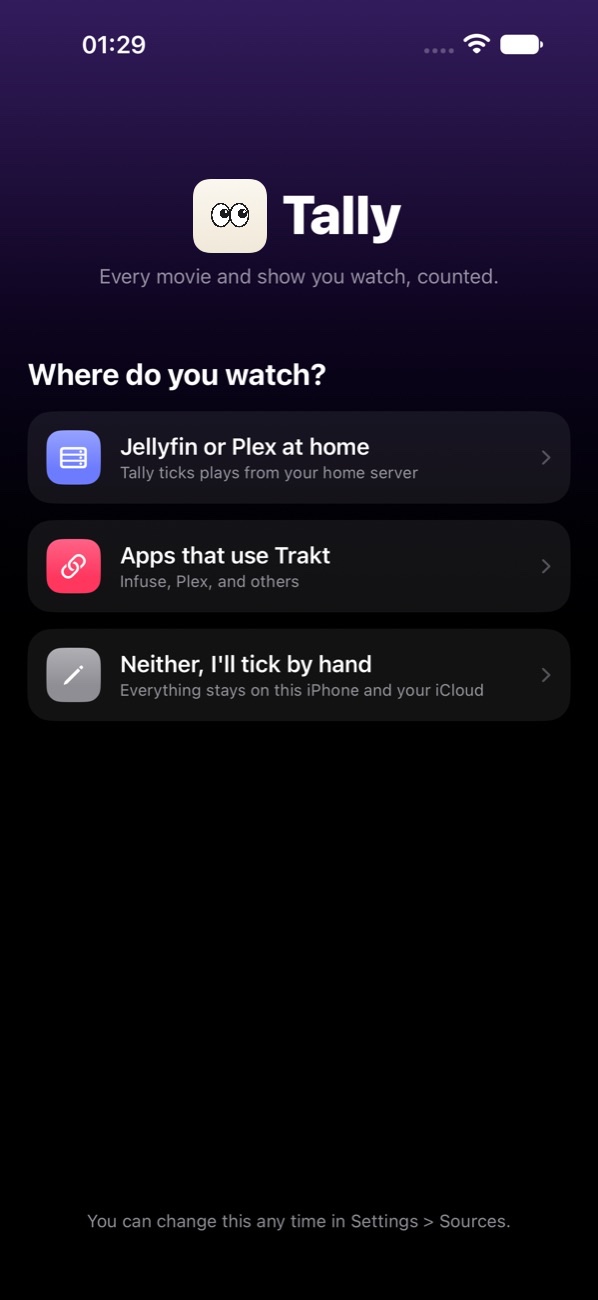
Tell Tally where you watch.
Jellyfin or Plex at home: add the free Tally Server and every play on your TVs is ticked for each person in the house, Kio on Apple TV included. An app that uses Trakt, like Infuse: link Trakt and your history comes over, free, and with Tally+ new plays come in by themselves. Neither: tick by hand. Your history comes with you whichever you choose.
2 of 5
See everything you've watched, with the day and your stars.
Rate anything from one to five stars and write a private note on it. Filter your history by stars, and watch your tally grow in Statistics.
3 of 5
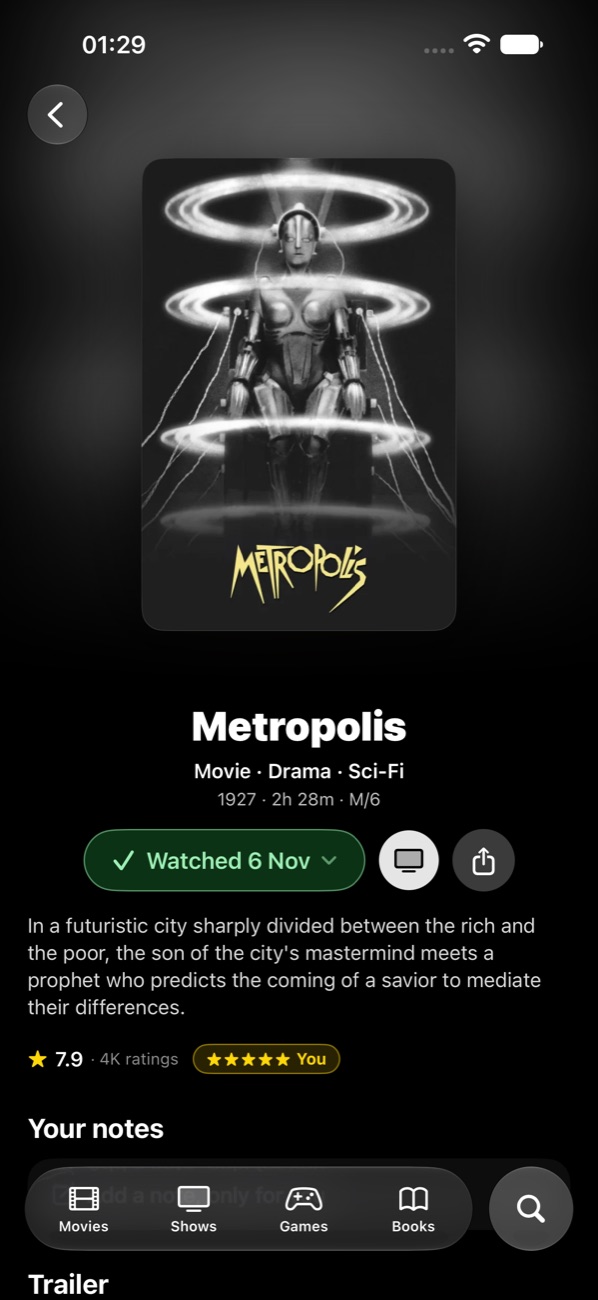
Read up on anything, without spoilers.
Every title has a page with its description, cast and crew, trailers, ratings and more like this. Episode descriptions can stay hidden until you've watched them.
4 of 5
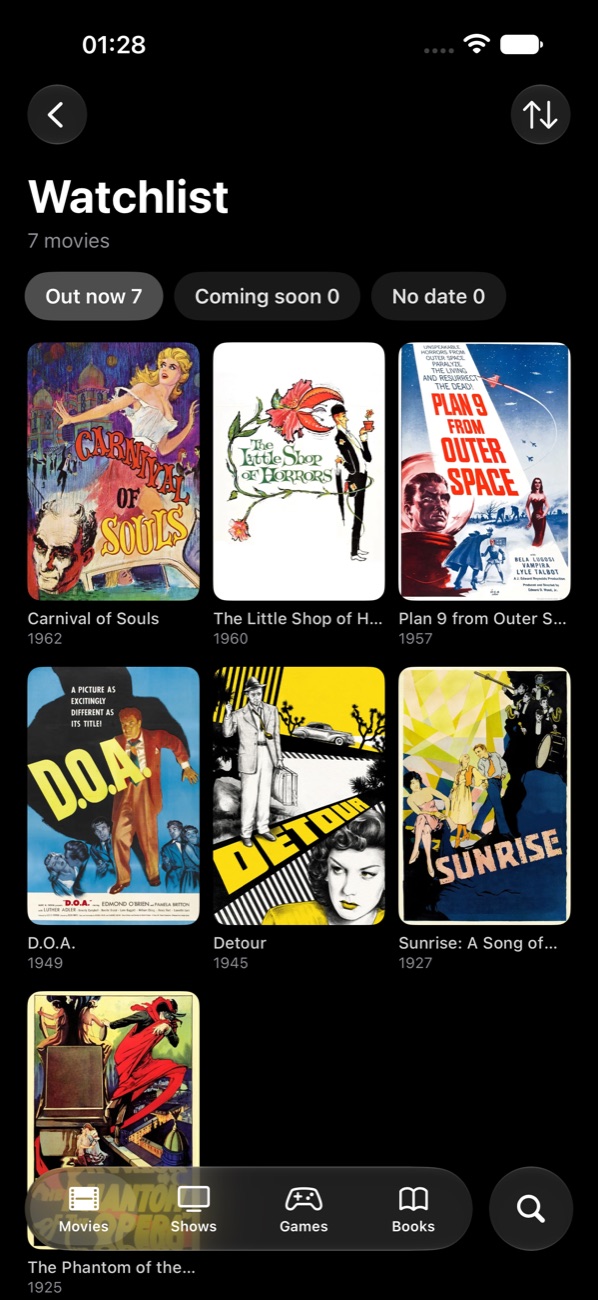
Fill your watchlist one card at a time.
Swipe through new releases in Discover to add them. Your watchlist then shows what's out now, what's coming soon and what has no date yet.
5 of 5
Stop scrolling for something to watch. TALLY+
What tonight? takes three taps and gives you one pick from your own lists, with the reason why. What to play? and What to read? do the same for games and books. With a home server, Play on TV sends the pick to Kio on your Apple TV.
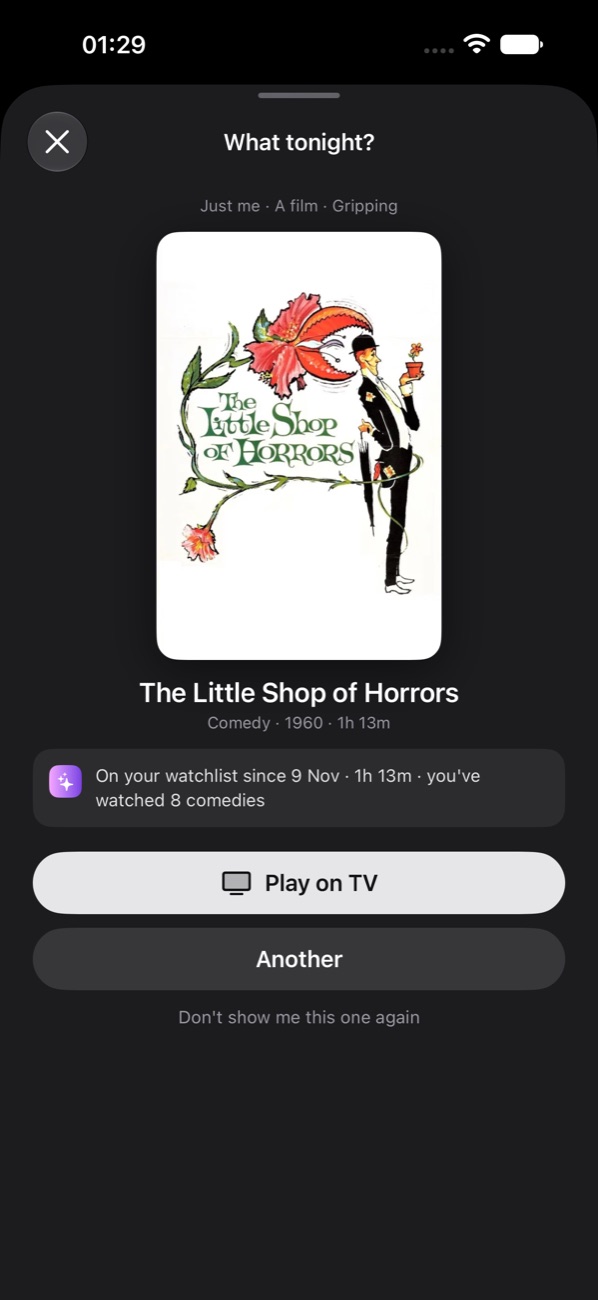
Real screens from Tally, shown with public-domain films.
Real screens from Tally, shown with public-domain films.
Badges and Statistics
Watch your tally grow, with badges that never run out.
Some level up and keep going, some you earn again and again, and a few are once only. Statistics show your tally for each kind or all together.
- Opening nightYour first movie
- Double featureTwo movies in one day
- Season finaleFinish a season
- Binge10 episodes in one day
- Game overFinish your first game
- Night readerFinish a book after midnight
- First chapterFinish your first book
- RenaissanceA movie, a show, a game and a book in one month
TALLY+
Tally+ tells you the moment it's out.
A new episode, a movie on your watchlist out to watch at home, a game or a book out today. You choose which alerts you get. Tally+ also adds:
- What tonight?, What to play? and What to read? One pick from your own lists, with the reason why.
- Your year as a story you can share, and detailed statistics.
- Widgets for your Home Screen and Lock Screen. Tick an episode right from the widget.
- For you in Discover, picks that learn your taste as you swipe.
- Two-way Trakt, so plays from Infuse and other Trakt apps tick themselves and what you tick, rate and add in Tally goes to Trakt too.
- Export everything, any time, as spreadsheets or for Letterboxd.
- With a home server, Play on TV to Kio, Tally away from home with nothing to set up, and the server's whole tally backed up to your iCloud every day.
 CopperlineS2 E6 is out now.nowEmber VaultFrom your wishlist. Out today.now
New episodes, movies out at home, games and books out. You choose which.
Yearly plans renew each year until you cancel, in your Apple Account. Once is paid one time. Prices in euros; the App Store shows yours.
Without Tally+, Tally is free for as long as you like: every kind, every page, Discover, badges and Statistics.
Questions
Things people ask before they download it.
Do I need a home server?
No. Most people will tick by hand, and that's free for as long as you like, with everything kept on your iPhone and in your iCloud. If you do run Jellyfin or Plex, add the free Tally Server and every play on your TVs is ticked for whoever watched it, Kio on Apple TV included.
I've used Trakt for years. Do I start from zero?
No. Link Trakt and what you watched, your ratings and your watchlist come over, for free. With Tally+ the two stay in sync both ways: whatever you watch in Infuse or any other app that uses Trakt ticks itself, and what you tick, rate and add in Tally goes back to Trakt. To be fair to Trakt, far more apps connect to it than to Tally.
Do games and books tick themselves?
No. Nothing on your TV knows you finished a book or a game, so you tick those yourself. They sit in the same history as everything you watched, and they count toward your badges and your year.
What does the family plan cover?
Tally+ for your Apple family, up to six people, through Family Sharing. Everyone keeps their own tally on their own iPhone. It's €24.99 a year or €139.99 once.
Why is there a yearly price at all?
Tally+ keeps working every day: the alerts, and with a home server, the way in from outside your house and the daily backup. If you'd rather not subscribe, pay once, €89.99 for you or €139.99 for the family, and it's yours for good. The yearly plans start with two weeks free.
Where do the posters and details come from?
Movies and shows come from Trakt, games from IGDB, and books from Apple Books, with Open Library for the ones Apple doesn't sell. It's all built in: no account to make and no key to paste.
Android or Mac?
Not at launch. Tally starts on iPhone.
Start your tally today, free on the App Store.